

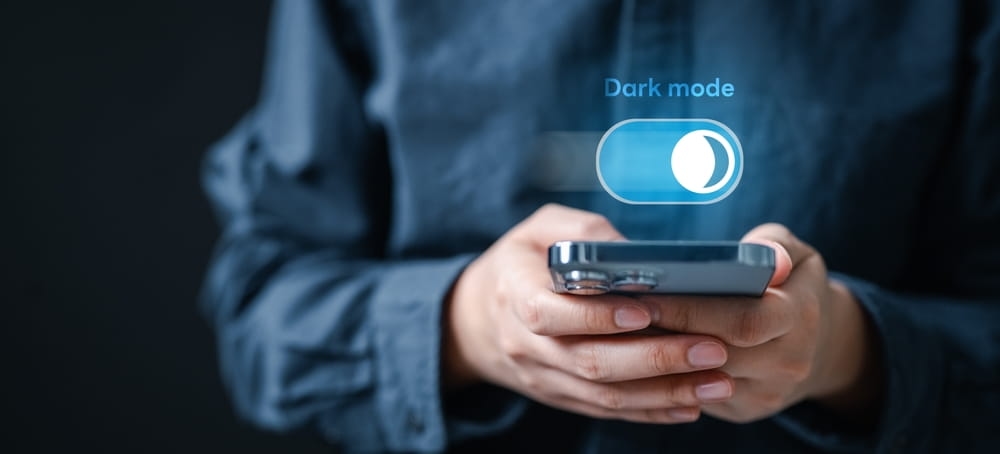
Dark mode didn’t show up quietly. It slid into our screens late at night, stayed easy on the eyes, and somehow became the default for millions of people. From iPhones and Android apps to Slack, YouTube, and Figma, dark interfaces now feel less like a feature and more like an expectation. This blog looks at how dark visuals shape behavior, comfort, trust, and attention. We’ll talk psychology, ui dark themes, accessibility ui trends, and modern web aesthetics, while keeping things practical and grounded in how people actually use screens across the US.
Dark mode design is no longer just about flipping colors. It changes how users read, scroll, focus, and even feel while using a product. This section sets the base for everything else that follows.
At first, dark mode showed up as a battery saver. OLED screens made it practical, and users noticed their phones lasting longer. But habits formed fast. People started switching to dark interfaces even during the day. Why? Comfort and familiarity.
Once a user gets used to a darker canvas, bright white screens can feel harsh. It’s like stepping outside after a movie matinee. That feeling matters more than we often admit.
When Apple pushed system-wide dark mode, it sent a clear signal. This wasn’t a novelty. Designers had to think about contrast, shadows, and hierarchy in a whole new way.
Design always nudges behavior. Dark screens just do it in quieter, more emotional ways. Let me explain.
On dark backgrounds, bright elements pop harder. Buttons, charts, and images pull the eye faster. That can help users focus, but it can also overwhelm if everything screams for attention.
Many teams now reduce visual noise in dark layouts. Fewer borders. Softer dividers. The result feels calmer, and users tend to scroll longer without feeling rushed.
Here’s a small contradiction that designers talk about. Dark mode can reduce eye fatigue, yet users often stay longer than planned. Think of late-night browsing on Reddit or watching YouTube on autoplay. The interface fades away, and content takes over.
That extended engagement is great for platforms, but it raises ethical questions too. Are we making it too easy to lose track of time? Designers are starting to wrestle with that.
Accessibility is where dark mode gets complicated. It helps some users a lot, and others not so much.
High contrast helps readability, but pure white text on pure black can cause halos for some people. Many modern ui dark themes use off-white text on charcoal backgrounds. It’s softer. Easier.
Accessibility ui trends now focus on adjustable contrast, not fixed presets. Apple, Microsoft, and Google all allow users to fine-tune display settings.
For users with migraines, ADHD, or light sensitivity, dark interfaces can feel like relief. Not perfect, but better. Designers are slowly acknowledging that user preference design is not one-size-fits-all.
This is where things get interesting. Dark mode doesn’t just change visibility. It changes the mood.
Dark layouts often feel more private. More intentional. Think of Spotify at night or a code editor with a dark theme. It signals focus. Seriousness. Sometimes, even trust.
That emotional tone affects how users perceive a brand. Financial apps, creative tools, and developer platforms lean heavily into darker palettes for this reason.
Of course, dark mode isn’t magic. For news sites or long-form reading, some users feel weighed down by dark backgrounds. Designers now mix modes within the same product. Light reading views. Dark dashboards.
That blend respects both mood and context, which is a big win for visual ux.
Dark mode has quietly reshaped what modern websites look like. Scroll through startup homepages, and you’ll see it right away.
Dark backgrounds make minimal design feel richer. Gradients glow. Motion feels smoother. Typography takes center stage.
Brands like Stripe and Linear use dark palettes to signal precision and confidence. It’s not loud. It’s controlled.
In dark layouts, color is used sparingly. Accent colors carry more meaning. A single green success state or red warning stands out instantly.
Design teams now treat color like punctuation. Used only when it counts.
Design trends mean little if they don’t work in real life. Dark mode does, mostly.
On OLED screens, dark pixels consume less power. That’s still true. For users glued to their phones, that extra battery time matters.
On laptops and LCD monitors, the gains are smaller, but comfort still drives choice. Many developers keep dark mode on all day, even in bright offices.
Dark mode shines at night and in low-light rooms. In direct sunlight, it can struggle. That’s why adaptive themes are gaining traction. Interfaces that shift based on ambient light feel more human, less rigid.
No trend is flawless, and dark mode has its traps.
Low contrast text. Tiny fonts. Overused shadows. These mistakes show up fast in rushed designs. A dark theme needs just as much care as a light one, maybe more.
An app might look great on iOS and feel off on Android or the web. Consistency across devices is still a challenge, especially when user preference design allows deep customization.
So what’s coming? Not a full takeover, but a smarter balance.
Interfaces that respond to time, location, and activity are becoming more common. Think car dashboards, smart TVs, and wearables. Dark when it makes sense. Light when clarity matters more.
The future isn’t dark versus light. It’s a choice. Products that respect user comfort, accessibility, and emotion will win. Trends fade. Preferences stick.
Dark mode design has grown up. It’s no longer a cool extra or a developer-only perk. It shapes how people feel, focus, and behave across apps and websites every day. From accessibility ui trends to modern web aesthetics, dark interfaces sit at the crossroads of emotion and function. The smartest designs don’t force a look. They listen. They adapt. And they remember that behind every screen is a human, probably scrolling a little longer than they planned.
Not always. Some users find light backgrounds easier for reading, especially during the day. Choice matters more than defaults.
It can help users with light sensitivity, but poor contrast can cause issues. Adjustable settings make the biggest difference.
Not necessarily. Content-heavy sites may benefit from light views, while dashboards and tools often shine in dark layouts.
Yes. Many users stay longer and feel less visual strain, especially at night. Designers should balance comfort with responsibility.
This content was created by AI