

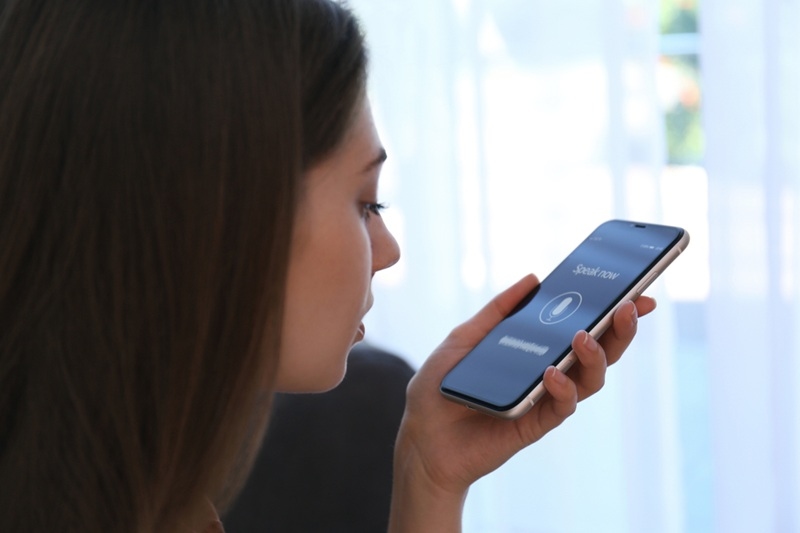
The way people use the web has quietly changed, not with a bang, but with a question spoken out loud while cooking dinner, driving to work, or juggling a toddler on one hip. Voice has slipped into everyday life, and websites are adjusting whether they planned to or not. This shift is pushing designers, writers, and developers toward a more human style of interaction, one that feels less like clicking buttons and more like having a conversation. This article looks at what is happening, why it matters for US audiences, and how voice-driven behavior is reshaping conversational web design from the ground up.
Voice search trends are not just about technology upgrades. They reflect changing habits, expectations, and even patience levels. People ask questions differently when they speak, and websites feel that pressure fast.
When someone types, they shorten things. When they speak, they ramble a little. Voice searches tend to be longer, more casual, and often framed as full questions. “Best pizza NYC” becomes “Where can I get good pizza near me right now?” That difference changes how content needs to be written and structured.
A lot of voice searches happen in the middle of real life. Think road trips, grocery shopping, or fixing something around the house. That’s why local intent dominates. Restaurants, services, weather, and store hours. Websites that answer quickly and clearly win these moments.
Here’s the thing. Voice users rarely want a long scroll. They want a clean, direct response. This expectation pushes designers to surface key information upfront and trim unnecessary clutter. Less fluff. More clarity.
Before visuals even come into play, tone matters. Conversational ui is not a trend for chat apps only anymore. It’s showing up across websites, dashboards, and even forms.
Hard words spoil the charm. Friendliness in prompts and natural wording responses better in users. Brenda will be more convinced by a signup message that reads as though it were said by someone and not the legal booklet.
Small touches matter. Confirmation messages, error messages, and loading screens. People feel at ease when they are heard to be listening rather than sounding robotic. Such a change of heart makes them stay longer.
Menus and search boxes are beginning to look more interactive. The user can just ask instead of searching within the categories. Such a change reduces the level of friction and makes websites intuitive, particularly to new users.
Not long ago, voice features felt experimental. Now, voice-enabled websites are becoming practical tools, especially in service-driven industries.
Healthcare portals, banking apps, travel booking sites, and retail platforms are testing voice features. Checking account balances, refilling prescriptions, or tracking orders by voice saves time and effort.
Voice brings convenience, but it also raises concerns. Users want reassurance that their data is safe. Clear explanations and visible safeguards help reduce hesitation.
Voice doesn’t replace screens. It complements them. The best experiences let users switch between speaking, tapping, and typing without friction. Flexibility is the real win.
The speech recognition web stack is doing heavy lifting most users never see. Still, its limits and strengths shape the final experience.
Accents, background noise, and casual phrasing can still trip systems up. Designers need graceful fallbacks. A polite “Did you mean this?” goes a long way.
Modern systems try to remember what was said before. That context allows follow-up questions and smoother interactions. Without it, conversations feel clunky and repetitive.
Voice interactions demand fast responses. Delays feel longer when someone is waiting for a spoken answer. Performance tuning is not optional here.
AI assistants like Siri, Alexa, and Google Assistant have quietly trained millions of people how to talk to technology. That training spills over onto websites.
People expect the same tone and responsiveness they get from their favorite assistant. If a website feels cold or confusing by comparison, it loses ground fast.
When responses are spoken, personality stands out. A friendly brand sounds friendly. A vague one sounds unsure. Voice makes brand identity audible, literally.
Hands-free browsing often gets framed as a lifestyle perk, but it’s also about inclusion and access.
Voice navigation helps users with mobility challenges, vision impairments, or temporary limitations. Designing for voice often improves overall usability.
Americans multitask constantly. Cooking, commuting, working remotely. Voice fits into these moments naturally, without demanding full attention.
Content and design teams now need to be closer. The voice is what alters information retrieval and delivery.
Humorous writing is its element; however, understanding is successful when speaking. Short sentences. Direct responses. No guessing games.
It is easier to order the systems to extract the right answers based on headings, lists, and a clear section. It is also a structure that enhances human readability.
This is not only an aesthetic change. It influences the engagement, conversions, and loyalty.
Tasks become accomplished sooner when the users can ask rather than search. Such speed increases the satisfaction and decreases the drop-offs.
Intended voice searches are much more insightful than typed keywords. Businesses are able to know what users want and not what they are clicking.
The voice is not a peripheral feature anymore. It is influencing the ways in which individuals anticipate the web to act, sound, and respond. The voice search trends are driving designers to a more conversational, flexible, and human-focused experience. This does not imply that screens will be forgotten or that everyone will be writing in a casual manner. It implies that the web also starts to hear, not only to speak. Websites that are thoughtful will be native to the real world. The others can begin to be strangely silent.
They reflect how people increasingly use spoken questions instead of typing. These trends influence how content is written and structured online.
It makes interactions feel natural and less stressful. Users understand what to do without overthinking each step.
No. Small businesses benefit too, especially for local search and customer support experiences.
Yes. It supports users with physical limitations and also helps anyone multitasking in daily life.
This content was created by AI